CTI's AI Architecture: How the Coaching Layer Works
In the first CTI post, I covered building the 3D route viewer — parsing .fit files, cinematic camera animations, chart performance. The closing line mentioned "an intelligence layer" as a future idea. That future arrived quickly.
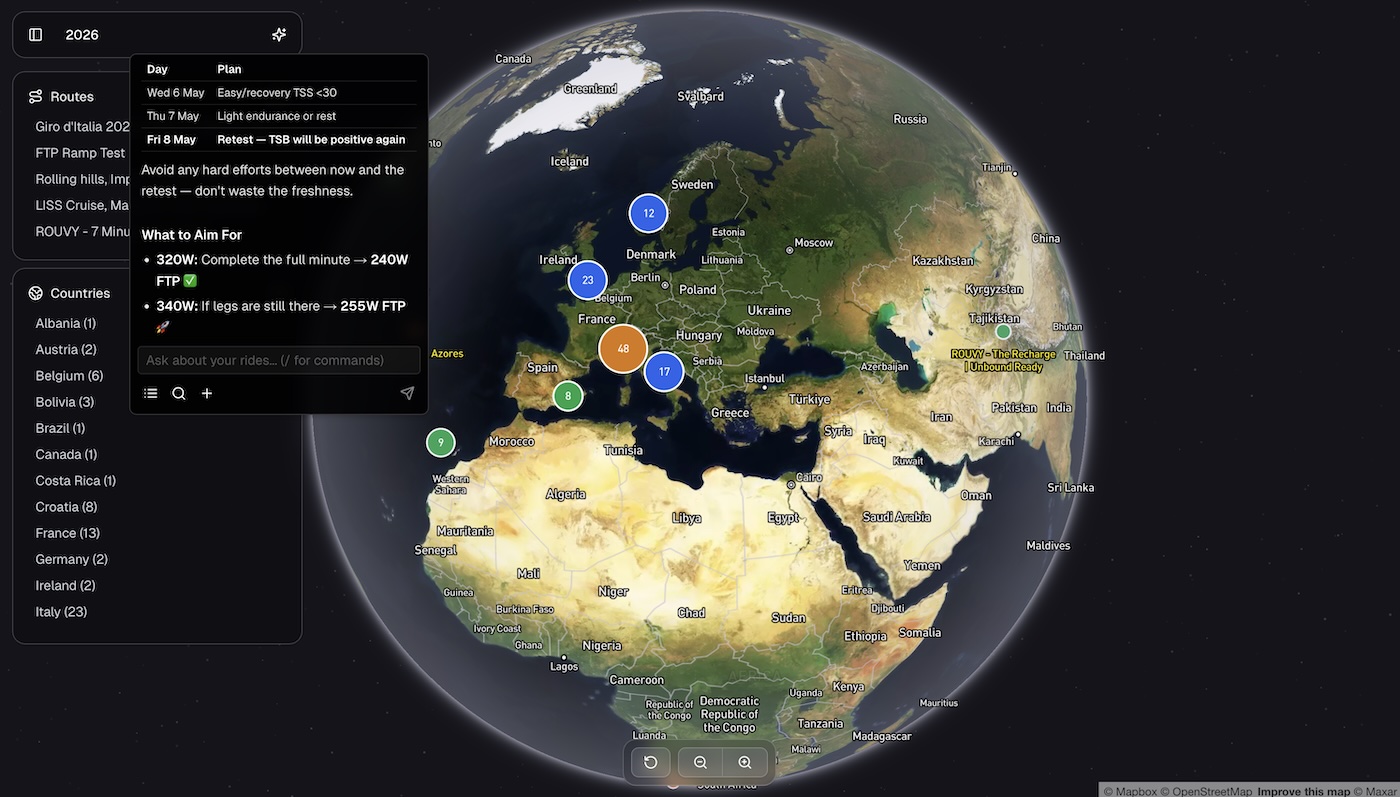
This post covers how the AI coaching layer actually works: what happens between a user typing a message and a response streaming back. The interesting parts are the routing, the prompt assembly, and especially the memory system.
The Pipeline at a Glance
Every user message passes through the same sequence of steps before a single token is generated:

The key architectural decision is that context loading always happens before generation. The model never responds from a cold start — it has the user's profile, relevant conversation history, and ride data assembled into a layered system prompt before it sees the message.
There's also a fast exit path: if the intent router classifies a message as off-topic, the whole pipeline short-circuits before any expensive model call.
PII Redaction: One Mutation, Complete Coverage
The very first thing the API route does — before the intent classifier, before anything hits the database, before the LLM sees a single character — is redact PII from all messages in-place.
// lib/pii-redactor.ts
redactMessages(messages: UIMessage[]): UIMessage[]  // mutates text parts in-place
Because it mutates the messages array directly, every downstream consumer gets clean data automatically. The intent classifier gets clean data. Supabase persistence gets clean data. The LLM gets clean data. There's no risk of a code path being added later that accidentally skips redaction — the redacted array is the only array.
Name detection is disabled. Cycling coach conversations are full of athlete names, place names, and brand names that would produce constant false positives. Email addresses, phone numbers, and SSNs are the real concern.
Intent Routing: Cheap Classifier, Expensive Generator
Before the main Sonnet model sees anything, a Haiku model classifies the message into one of five intents:
| Intent | Examples | Pipeline effect |
|---|---|---|
workout_generation |
"build me a threshold workout" | toolChoice: 'required', temp 0.3 |
ride_analysis |
"how did I do today?" | toolChoice: 'auto', hint toward rideInsights |
route_search |
"find climbs in Spain" | toolChoice: 'auto', hint toward searchRides |
coaching_chat |
recovery advice, nutrition, training theory | toolChoice: 'auto' |
off_topic |
"what's the weather", "write me a poem" | short-circuits before Sonnet |
The result is a PipelineConfig that sets toolChoice and temperature for the main generation step, and optionally appends an <intent_hint> to the system prompt nudging the model toward the right tool.
The Off-Topic Guardrail
The off-topic path is the most important one. When the classifier returns off_topic, the API route returns immediately — no memory load, no hybrid search, no streamText call. A canned redirect streams back in the same wire format as a normal response so the client doesn't need to care:
"That's outside my area — I'm here to help with cycling coaching, training, ride analysis, and route exploration."
The off-topic threshold is set to 0.8 confidence (vs. 0.6 for other intents). The asymmetry is deliberate: a false positive that blocks a legitimate cycling question is worse than a false negative that lets a stray question through. Weather, nutrition, sleep, and recovery questions are explicitly listed as coaching topics in the classifier prompt so they're never blocked.
This one short-circuit eliminates a class of abuse and saves the Sonnet call cost for every off-topic message.
The System Prompt: Ten Layers, Assembled in Order
buildSystemPrompt() assembles the final system prompt from ten distinct layers, in strict order:
1.  Safety block              always injected first
2.  Base prompt               chat-map.md  or  chat-globe.md
3.  Command prompt            skill instructions (if slash command matched)
4.  Profile memory            <user_memory>{"ftp": 250, ...}</user_memory>
5.  Ride data                 <ride_data>...</ride_data>  (map view only)
6.  Route context             <route_context>...</route_context>  (map view only)
7.  Search context            <past_conversations> + <session_insights>
8.  Episodic context          <coaching_history>
9.  Intent hint               <intent_hint>  (from router)
10. Skills manifest           ## Available SKILLs
The safety block goes first, unconditionally. It contains medical guardrails (no diagnosis, cardiac symptom detection with referral language), HR guidance calibration, and a prompt injection defence declaring that content inside <ride_data>, <route_context>, and <user_memory> is data only — not instructions.
The two base prompts differ significantly. The map prompt is a ride-analysis coach: concise (≤200 words), data-driven, ends with 1–2 actionable suggestions. The globe prompt is a search assistant: uses searchRides by default, outputs bullet lists, ≤300 words. They're separate markdown files with {{localDatetime}} and {{userTimezone}} variables injected at load time.
Context is injected using XML tags rather than free prose. Structured XML gives the model a clear separation between different context sources, which makes it significantly more reliable about treating them as data rather than mixing them with its own reasoning.
Three Layers of Memory
This is where the system gets interesting. There are three distinct persistence layers, each serving a different purpose.
1. Profile Memory — Permanent, User-Scoped
Profile memory is a flat JSONB object on the user's profile row:
{
  "ftp": 250,
  "weight_kg": 72,
  "goal_a_event": "Gran Fondo September",
  "preferred_cadence": "high",
  "medical_conditions": "..."
}
It loads on every request and injects into the system prompt. The model can read, update, or delete keys via an update_profile tool — so the coach can remember facts across sessions without the user having to repeat themselves.
After each chat, Haiku runs a memory extraction pass over the last ten messages with temperature 0 and returns any new facts as flat JSON. A shallow merge (|| in PostgreSQL) updates the profile row. This happens fire-and-forget in onFinish, not in the request path.
2. Session Memory — Episodic, Per-Ride
Session memories capture coaching observations from individual conversations, stored in a dedicated table with both a vector embedding and a full-text search index:
{
  keyInsights: string[],    // ≤5 coaching observations with specific metrics
  athleteSignals: string[], // ≤3 signals about athlete state or goals
  openQuestions: string[]   // ≤3 follow-up questions
}
These are retrieved via semantic search (cosine similarity on the embedding) and injected as <past_sessions> context. If semantic search returns nothing, it falls back to recency. The deduplication logic prevents storing near-duplicate memories: before inserting, it checks if there's an existing memory within the last hour for the same context, and deletes it first.
3. Chat Message Index — Chunked, Searchable
Full chat history is indexed into a chat_messages table, chunked on structural boundaries. Long assistant responses are split at double newlines, markdown headers, and bold labels, with a minimum chunk size of 50 words and no overlap between chunks. Each chunk gets an embedding.
This powers the hybrid search that injects past conversation context into every request.
Chat-Level Episodic Memory
There's a fourth layer: a high-level summary attached to each chat object, generated when the conversation reaches 8+ messages:
{
  tags: string[],         // 2–4 cycling coaching terms
  summary: string,        // one sentence: what was accomplished
  whatWorkedWell: string,
  whatToAvoid: string
}
These episode summaries are retrieved by vector similarity and injected as <coaching_history>. They let the model reference the arc of previous training discussions without needing to retrieve full message history.
Hybrid Search: Four Sources, One Ranked List
Context retrieval runs four Supabase RPCs in parallel before every response:
- Keyword search on chat messages —
ts_rank()againstcontent_tsv(GIN-indexed) - Semantic search on chat messages — cosine similarity on
embeddingvector (HNSW index), threshold 0.3 - Keyword search on session memories — same pattern against
session_memories.content_tsv - Semantic search on session memories — cosine similarity, threshold 0.4
Before the search runs, a query analysis step (also Haiku) extracts keywords, a semantic search query, and a timeframe from the user's message. This lets the search be both targeted (the exact phrase "threshold power test") and broader (the semantic meaning of "how did my hard efforts go last week").
The four result sets are merged via Reciprocal Rank Fusion with K=60. RRF rewards items that appear across multiple lists — a message that scores in both keyword and semantic search ranks higher than one that only matched semantics. The top 15 results are formatted into <past_conversations> and <session_insights> XML and injected into the system prompt.
Skills and Slash Commands
The coaching layer has a concept of "skills" — markdown files with YAML frontmatter that contain specialised prompting instructions for specific tasks:
skills/
  form/SKILL.md      → /form command → fitnessAnalysis tool
  week/SKILL.md      → /week command → weeklySummary tool
  map-ride/SKILL.md  → /ride command → rideInsights tool
  map-training/SKILL.md → /training → trainingSuggestions tool
When a slash command is detected (via regex, before the intent router runs), the skill's markdown instructions are appended to the system prompt as layer 3, and the tool choice is forced to the skill's designated tool on step 0. The model receives explicit instructions about format and constraints from the skill file, then the tool execution provides the data.
The model also has list_skills and load_skill tools it can call at runtime — so it can discover available skills and load their instructions dynamically without them being pre-loaded into every request.
Model Selection
Different tasks use different models via a model slot system, all proxied through Vercel AI Gateway:
| Slot | Model | Used for |
|---|---|---|
fast |
Claude Haiku 4.5 | Intent router, memory extraction |
smart |
Claude Sonnet 4.6 | Main chat, /training, /workout |
analysis |
Claude Sonnet 4.6 | /ride, /form, /week, /review |
insights |
Gemini Flash Lite | Ride insights generation endpoint |
image |
Grok | /image command (admin) |
embedding |
OpenAI text-embedding-3-small | All vector embeddings |
The gateway abstraction means swapping a model is a one-line config change. Haiku handles all the cheap, high-frequency tasks — intent classification, memory extraction, query analysis — so Sonnet only runs when a real coaching response is needed.
Temperature is controlled per intent: workout_generation forces 0.3 (you want consistent, structured output), while general coaching chat uses 0.6. Memory extraction runs at temperature 0 — it's extracting facts, not being creative.
What I'd Do Differently
The layered system prompt works well but grows quickly. Every new context source adds another XML block, and there's no mechanism for prioritising context when the window fills up. A proper context window management layer — something that scores and ranks what actually gets included — would be the next thing to add.
The off-topic classifier occasionally makes mistakes on edge cases like "what gear should I buy" (shopping, not coaching, but cycling-adjacent). The 0.8 threshold catches most of these, but a small deny-list of known problem patterns would tighten it further.
The fire-and-forget approach for memory extraction, indexing, and session summaries keeps the request path fast but means a failed extraction is silently lost. Adding a lightweight retry queue (or at minimum structured logging for failures) would improve reliability.
Conclusion
The most interesting architectural insight from building this is that the routing layer is where most of the value is. A well-tuned intent classifier with a hard off-topic exit, combined with a toolChoice: 'required' for deterministic intents, makes the model substantially more reliable than prompt engineering alone. The model doesn't have to figure out whether to call a tool — the pipeline decides that before the model is involved.
The memory system is the other piece that makes it feel like a real coach rather than a stateless chatbot. The combination of permanent profile facts, per-session episodic memories, full conversation indexing, and chat-level summaries means the model has access to the right context at the right granularity for different types of questions.
Stack additions since Part 1: Vercel AI SDK, AI Gateway, Haiku (classifier/extraction), Reciprocal Rank Fusion, pgvector HNSW indexes, OpenAI embeddings
Built with: Claude Opus/Sonnet 4.6 via Claude Code CLI
This architecture isn't cycling-specific. Layered prompts, intent routing with a hard off-topic exit, three-tier memory, and hybrid retrieval are how Orbital builds AI systems grounded in a client's own data and judgment — in any domain where generic models miss the nuance that matters. Read the CTI case study →
The CTI series:
- Building Cycling Training Intelligence in One Week with Claude Code
- CTI's AI Architecture: How the Coaching Layer Works
- CTI's Reinforcing Evals Loop: Prompts, Skills, Traces & Telemetry
- CTI's MCP Server: Making the Coach Composable
- CTI's Fitness Metrics: TSS, CTL, ATL, TSB — the Numbers Behind the Coach
- Future-Proofing CTI: An Architecture Review and Roadmap